
Profile Updates Standards & Recommendations
Update Recommendations
- Use the Profile Category Standards guide to understand each category on the site
- Submissions that do not meet standards may be denied or edited by our team
- Review speaker profiles on the website that you know, prefer, or align with your brand
- Compare speaker profile vs your content vs profile category standards
- Identify and improve your content to align with our standards
- Share resources with partners who assist in developing content for your profile
- Meet with our team annually to review your materials and update your profile
Recommended Update Schedule
- Larger profile overhauls submitted before mid-August or mid-December
- Research and update knowledge to improve expertise on an ongoing basis
- Topics, bio, and testimonials updated annually
- Highlight reel or speaker reel required as primary investment
- Videos collected regularly and highlight reel updated annually
- Highlight reel or speaker reel replaced every 2–3 years
- Headshots replaced every 2–3 years
Media & Content Strategy
- Use media and written content across speaker profiles, social media and marketing
- Source one long-term partner or internal resource for ongoing edits and updates
- Maintain consistent investment in professional media across all platforms
- Low resolution media, missing/outdated content reduce booking opportunities
- Updated media and content ensures credibility, relevance and interest
- Social media engagement supports connecting and relevance with audiences
- Well-produced media supports engagement, credibility, and bookings
Content Management & AI Workflow
-
Cloud Archive & Recording Strategy
- Maintain a structured cloud archive for past presentations, slides, feedback, and content files
- Upload recordings of speaking engagements, meetings, coaching, and consulting sessions into a ChatGPT Project or comparable AI tool
- Use transcription tools to convert recorded calls into written transcripts
-
AI Keyword Extraction
- Ask the AI tool to extract keywords, stories, themes, and repeated language patterns from each transcript
- Create a separate AI project or dedicated chat to store and manage extracted keywords
- Use high-frequency keywords to update existing topics, write new topic descriptions, and refine presentation outlines
-
Profile Updates Team
- Submit all updates directly to our Profile Updates Team: profiles@speakerscanada.com
- Save this contact for future submissions
- A member of our team will coordinate with other staff to schedule your update in the order received
- Updates take 14–21 days due to the high volume of requests
- For urgent matters, please send a WhatsApp message in the group chat or directly to an SBC employee
Individual Category Updates
- Each website category has a corresponding update form or document
- Submit all information to standard and within published guidelines
- Biographies and headshots are updated internally when changes are submitted
- For all other updates, contact your SBC representative to request the current form or document
- Use only the most recent version when submitting updates
Media Kit & Required Fields
- Information submitted through category updates is combined to generate the Speaker Media Kit shared with clients once a booking is confirmed
- All required fields must be completed to ensure accurate client delivery
- Partnerships for content or media based on verified references
Update Confirmations
- Our team will notify you when the update is complete and provide a link for review
- We will provide a summary of accepted and denied items and identify any missing information required
- Confirm that positioning and content are aligned with your standards
- Provide feedback for edits, positioning, and replacements to the Profile Updates Team
Update Policies
All profile updates must be submitted according to the guidelines below. Please ensure your submissions follow the correct format and are sent to the Profile Updates Team in a single organized email thread.
-
Submission Format
Updates not sent in one email thread on the correct document will be lost, delayed, or denied. Include instructions for each item indicating edit, replace, or add.
-
Email Thread Rules
Send all updates in one email thread including instructions and cloud links or documents. Do not send multiple emails for the same update. Do not change the subject line of the update email.
-
File & Access Requirements
Provide access or share permissions for any cloud or file transfer service. Organize folders with clear labels and label all files.
-
Accepted Formats
Word documents and Google Docs shared via Google Drive, WeTransfer, or Dropbox. Provide instructions for position or order of preference where applicable.
Positioning Instructions
Provide instructions for position or order of preference where applicable for each submitted item.
No Duplicate Emails
Do not send multiple emails for the same update. Consolidate all materials, links, and instructions into a single submission thread.
Processing Time
Our team receives a large number of updates. Please allow 14–21 business days for updates to be completed. They are limited to commit to ongoing communications until the update is complete.
Profile Update & Onboarding Process
-
1
Review Standards
Review the Profile Category Standards guide and compare your existing content against site profiles you align with and our published guidelines.
-
2
Prepare Your Submission
Complete the relevant category update form or document. Organize all files, label folders clearly, and consolidate instructions into one email thread.
-
3
Submit to Profile Updates Team
Send all updates to profiles@speakerscanada.com in one email thread. The team will coordinate scheduling and process your update in the order received.
-
4
Review & Confirm
Our team notifies you upon completion with a review link and a summary of accepted, denied, or missing items. Provide any feedback for final adjustments.
Submission Requirements by Category
-
All profile update submissions must match current category standards and be submitted using the most recent version of the relevant form or document. The following requirements apply to each category of submission.
Biography & Headshot Updates
· Speaker Full Name · Updated Biography Text · Professional Headshot File · Headshot Resolution Requirements Met · Edit, Replace, or Add Instruction · Preferred Positioning Noted · Submitted via Google Drive, WeTransfer, or Dropbox
Topics & Testimonials Updates
· Speaker Full Name · Topic Title(s) · Topic Description(s) · Testimonial Text & Attribution · Edit, Replace, or Add Instruction · Preferred Order or Positioning · Submitted in Word or Google Doc Format
Media & Video Submissions
· Speaker Full Name · Highlight Reel or Speaker Reel File · Video Resolution & Quality Standards Met · Edit, Replace, or Add Instruction · Preferred Positioning or Order · Cloud Link with Shared Access Permissions · All Files Clearly Labelled
Speaker x SBC Team Meeting
-
Please advise if you have connected with our Event Coordinator Team for a meeting. If not, be prepared to confirm once you receive your first email from the Profile Updates Team. Save the email below for future submissions. A review link and summary of accepted and denied items will be provided upon completion. For rescheduling and tracking, please contact the Profile Updates Team at profiles@speakerscanada.com
Event Coordinator Team
The Event Coordinator Team is responsible for booking speakers and will schedule a meeting to review your profile, discuss your speaking, and align operations.
Points of Contact Assigned
In the meeting, they will assign point of contacts for each process to ensure you remain connected and informed throughout all stages of your engagement.
Annual Profile Review
Meet with our team annually to review your materials, align your profile with current standards, and update your content to reflect your evolving expertise and brand.
Profile Delays & Urgent Matters
If you have an urgent update, send a WhatsApp message in the group chat or directly to an SBC employee. For general updates, allow 14–21 days for processing.
Keep Your Content Current
Regularly updating your topics, media, and biography ensures your profile remains competitive and relevant to clients making booking decisions.
We are Here for You
We are proud to represent you within Canada’s top collective of speakers, experts, and athletes. A strong, updated profile supports stronger bookings and lasting relationships.
 Biographies
 Books, Merch & Online Training
 Core videos
 Descriptive Title
 Highlight Reel Videos
 Inquiry Management
 Media Interviews
 Podcasts
 Speaker Brand & Positioning
 Speaker Exposure
 Speaker Fee Positioning
 Speaker Photography
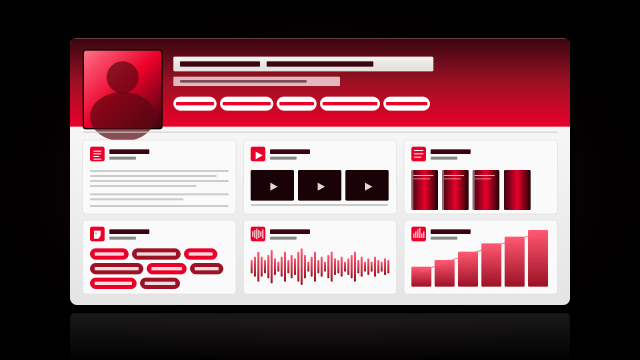 Speaker Profile Categories
 Speaker Resources
 Speaker Video Guide
 Testimonials & Endorsements
 Topic Descriptions
 Written Articles